Similar Posts
Georgie PML Gift Tag and Bags
I am in love with the new Close to my Heart Georgie Picture My Life cards. They are so sweet. They are great to use on pocket scrapbooking pages, but I also like to use them for gift tags and gift bags like the ones I made below. The flower and leaves on the gift…
Flower Card with Inspiration from the Kiddos
I bought my daughter some really cute jammies last week and after I saw them on her, I thought, “Hmmm, that might make a cute card.” So I pulled out some polka dotted paper, some matching cardstock, and my flower punch and started to make a card. I tried to emboss a cute sentiment with…
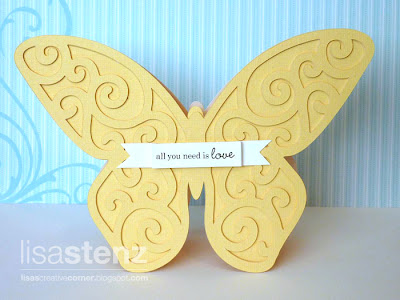
Art Philosophy Butterfly Card and a Giveaway
I made this card for day 3 of the Clean and Simple Card class I am taking. Day 3 was all about inspiration. I was so inspired by Julie’s butterfly card sample, that I had to CAS it using Close to my Heart’s Art Philosophy Cricut Cartridge. (I love that “CAS” stands for Clean and…
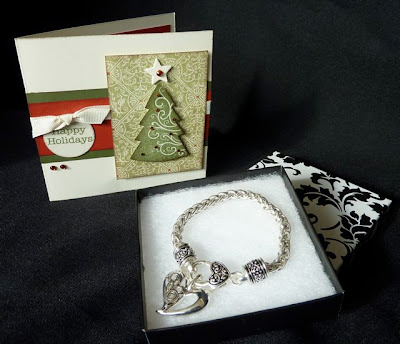
Special Gift from CTMH
Look what Close to my Heart sent me for Christmas! Wow! What a wonderful surprise to open my mailbox and see a CTMH package inside. I must tell you that Close to my Heart is so good to their Consultants. Look at this beautiful bracelet! I LOVE it and can’t wait to wear it. Thank…
Whooo’s Your Valentine Layout
I thought this adorable layout created by fellow Consultant Michelle Snyder was so cute that I just had to share it with you. She used the Whooo’s Your Valentine Kit to make it. Look at the cute border she created with the stamp set that comes in the kit and the silver metallic marker. I…
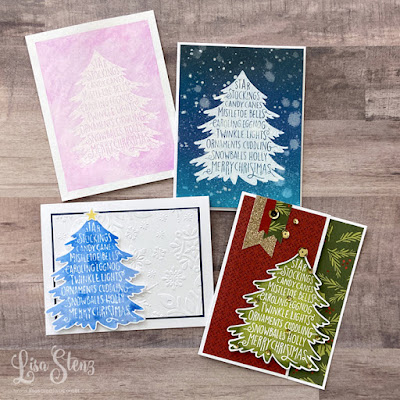
31 Days of Christmas Cards Day #17 – 1 Stamp, 3 Techniques
Sorry I am posting this a little late. This video shows the cards I created for Day 17 of the 31 days of Christmas Cards video series! In this video I will show you 4 cards with 3 techniques using 1 stamp. Here are some different looks that you can get from 1 stamp. You…



I never heard of that. Was it a bad spam?(comment)
Hi Lisa,
You can change your comments so that they are moderated by you and have to be approved before they post. It is under settings and then comments. Click the enable comment moderation.
hth
Hi Kari. If you look at some of the comments on a few of my posts, there are a couple weird, random, spamlike comments.
Thanks Niki. I just went into that section and changed it so that now you have to type in that crazy code that will show up. I always hate those, but maybe it will help. If not, I will go back and enable the comment moderation too. *Ü*
Hi Lisa =} I just checked your Aloha post (cute btw) and clicked on fejar “Here” (is that spam?) and my Anti Virus poped up and said i was protected and started scanning for viruses.
You can delete those posts you don’t wannt.
I don’t have Word Verifacation on mine but i may add it.
Thanks for telling us.
Kari,
Yep. That is what I was talking about. There are five or six of them throughout my posts. Weird, huh?
Dumb question, but how do I delete a comment?
Lisa sign in like you were going to change things on your blog. and then on top it says (view blog) then when you click on your comments you’ll see a trash can by each poster. You can Trash the post you don’t want.
Let me know is this helps ok. =}
Thanks Kari. I never noticed that trash can before. Now to go back and find all of those crazy comments…
Happy to help. =}
Hey what i found helpful is when you are signed in to your blog. Go to upper right corner and there is a Help tab. I go there and when i need answers about somethings. There is a lot of feed back.
I’m tring to put music on my blog.
Know anything about that? “Help” LOL