Similar Posts
Cupcake Card
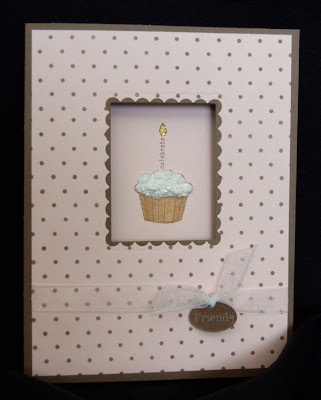
I finally put together a few more stamps that I got during SU!’s Sale-a-bration promo a few months back. This card uses their cute cupcake from Cause for Celebration. I also used Papertrey’s Polka Dot Basics set for the Chocolate dots and my rectangle Nesties to make the cutout on the Baby Pink and Chocolate…
Operation Smile, New Items for Sale, and a Giveaway Winner
I have a few announcements to make today including… A VERY worthy cause… Everyone is invited to join in the Make a Miracle Challenge by helping raise funds to provide corrective surgeries for children around the world through Operation Smile®. It takes just $240 to sponsor a surgery and change a young life for the…
September Promotions
Memories in the Making September National Stamping Month Special This year’s National Stamping Month special features the Memories in the Making Cut Above® layout kit. With this kit, you can create 13 single pages, or add a few additional products to turn this layout kit into a calendar! This special includes two exclusive stamp sets:…


I never heard of that. Was it a bad spam?(comment)
Hi Lisa,
You can change your comments so that they are moderated by you and have to be approved before they post. It is under settings and then comments. Click the enable comment moderation.
hth
Hi Kari. If you look at some of the comments on a few of my posts, there are a couple weird, random, spamlike comments.
Thanks Niki. I just went into that section and changed it so that now you have to type in that crazy code that will show up. I always hate those, but maybe it will help. If not, I will go back and enable the comment moderation too. *Ü*
Hi Lisa =} I just checked your Aloha post (cute btw) and clicked on fejar “Here” (is that spam?) and my Anti Virus poped up and said i was protected and started scanning for viruses.
You can delete those posts you don’t wannt.
I don’t have Word Verifacation on mine but i may add it.
Thanks for telling us.
Kari,
Yep. That is what I was talking about. There are five or six of them throughout my posts. Weird, huh?
Dumb question, but how do I delete a comment?
Lisa sign in like you were going to change things on your blog. and then on top it says (view blog) then when you click on your comments you’ll see a trash can by each poster. You can Trash the post you don’t want.
Let me know is this helps ok. =}
Thanks Kari. I never noticed that trash can before. Now to go back and find all of those crazy comments…
Happy to help. =}
Hey what i found helpful is when you are signed in to your blog. Go to upper right corner and there is a Help tab. I go there and when i need answers about somethings. There is a lot of feed back.
I’m tring to put music on my blog.
Know anything about that? “Help” LOL